Buy FlixTele Pro for Smart TV subtitles: test what you need
Need subtitles before buying FlixTele Pro? Confirm the programme, language, player and readability on your Smart TV during the trial.
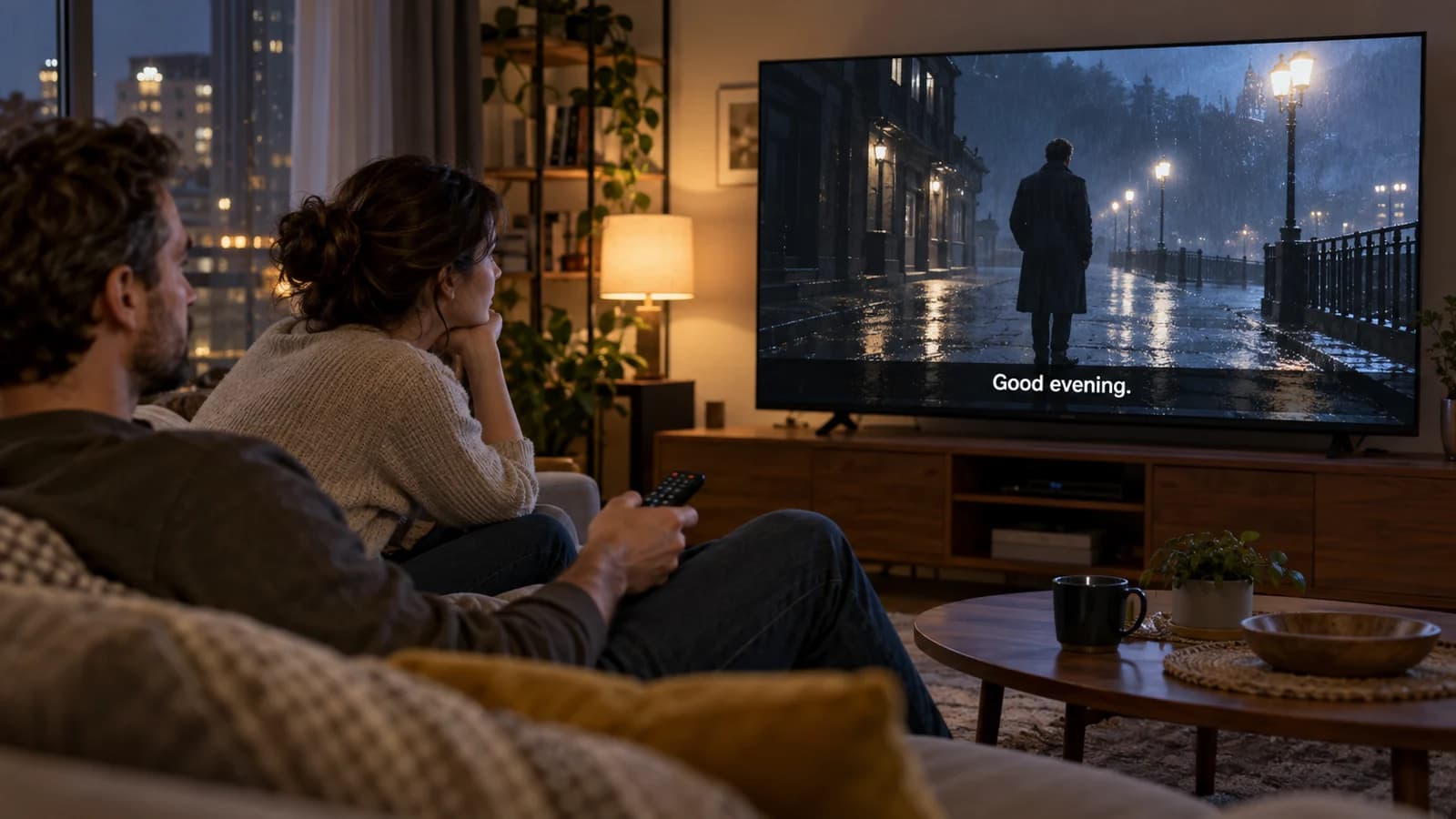
Subtitles are part of your purchase requirement, not a small extra you can leave until after activation. If you want to buy FlixTele Pro for subtitled films or television, identify the actual language and programmes you need, then verify them in the player on your Smart TV before selecting a subscription term.
A menu containing a subtitle button is not confirmation that every title has your language. Equally, a translated interface does not establish the language of the programme. Use the 24-hour trial to answer those questions on your own screen. This guide does not promise a subtitle language list or coverage across the entire catalogue.
Describe the subtitle requirement precisely
Tell support whether you want translated dialogue, same-language text or captions that also describe relevant non-speech audio. The W3C accessibility guidance explains the role of captions in conveying spoken and other necessary audio information. Those needs are not automatically met by a translation track showing dialogue only.
Name two or three representative programmes or films, the desired subtitle language and whether you expect live viewing or on-demand viewing. Ask about those exact examples before paying. A general statement that a service has subtitles leaves too much uncertainty if one particular language or programme is essential to your household.
Also explain whether you need larger text, a darker subtitle background or another presentation adjustment. Availability and appearance may depend on the player and the supplied track. Support can discuss a concrete requirement more usefully than a request to confirm that subtitles work everywhere.
Check content availability separately from the app setting
The player needs suitable subtitle information from the content or its supported workflow. A player setting cannot create a missing translation. Ask support to identify the proposed programme version or track and test it, rather than assuming that a different subscription duration adds an unavailable language.
Distinguish selectable text from words already embedded in the video picture. If the text is part of the picture, you may not be able to turn it off or change its language or appearance in the player. If there is a selectable track, verify that the required option is present and behaves as expected.
Test both types of viewing you intend to buy for. A successful subtitle test on one film does not prove that a particular live channel supplies the same language. Record the programme and viewing mode so support knows which result you are relying on.
Use the Smart TV and player that will stay in the living room
Write down the television model, operating system and player name. If a streaming device is connected by HDMI, include that model too, because it may be the component controlling playback. An app on a phone can display a track differently from the player on your television.
Use the compatible-app page to begin the device conversation, then ask for a suitable confirmed option. If the television is an LG, the webOS purchase checklist helps establish the model and app-store path. Do not buy a player upgrade on the assumption that it includes missing programme tracks.
Keep the normal sound equipment connected during the test. Subtitle timing should be checked against the audio actually reaching your room. A text track that appears to match on another device does not establish that your living-room combination is comfortable to watch.
Run a readability and timing test before choosing a plan
Sit at your usual distance and choose a scene containing ordinary dialogue. Check that you can read the text without moving closer and that it remains visible against both light and dark parts of the picture. If the player offers presentation controls, try the settings you intend to keep.
Continue into a scene with longer lines or faster exchanges. Note whether the text is cut off, disappears too quickly for your routine or arrives noticeably before or after the dialogue. Test the same content after pausing, resuming or seeking when that action is supported in your viewing mode.
Close and reopen the player and check whether your preferred subtitle selection remains in place. If several people use the screen, let each person try the routine. The aim is a practical acceptance test for that household, not a claim that a single feature icon proves accessible viewing.
Resolve missing or unsuitable tracks before payment
If the requested language is absent, send support the programme name, episode or version, viewing mode, device and player. Ask whether a suitable alternative is actually available in the proposed service. Do not pay on the expectation that a track will appear simply because your player has a language preference.
If the text exists but looks wrong, describe the observable issue: clipped lines, unreadable size, incorrect characters or timing. A screenshot can help, but remove account details and avoid sharing a full playlist link. Support can then distinguish an app presentation issue from a supplied-track problem.
Treat an essential unmet requirement as a reason to pause the purchase. Consider a confirmed alternative player or content version only after it has been tested. Neither this guide nor a generic installation promise should replace confirmation of the subtitle experience you are buying for.
Place an order that includes your subtitle acceptance result
Once the representative examples work, compare the live subscription options and choose a duration that fits your budget. Confirm the total, currency and any independently required player cost. Longer access does not establish broader subtitle availability than the actual content and player support.
Include the desired language, tested programmes, television and player in your order message. Mention any presentation setting that was important and any feature still awaiting confirmation. Ask how the paid account will be activated and whether your existing trial configuration can remain.
After activation, return to the same examples and repeat the viewing check. Keep the confirmation and order reference privately. You are then buying a service for an identified subtitle use case, rather than relying on an unspecified multi-language claim that may not describe your Smart TV or the programmes your household wants.